
Finds every file
Links, images (the largest size), lazy-loaded images, audio and video files, on one page or across many tabs.
BatchGrab finds the PDFs, images, documents and archives on a page, or on many tabs, groups them by type and lets you tick what you want. Then it downloads everything through a reliable queue.
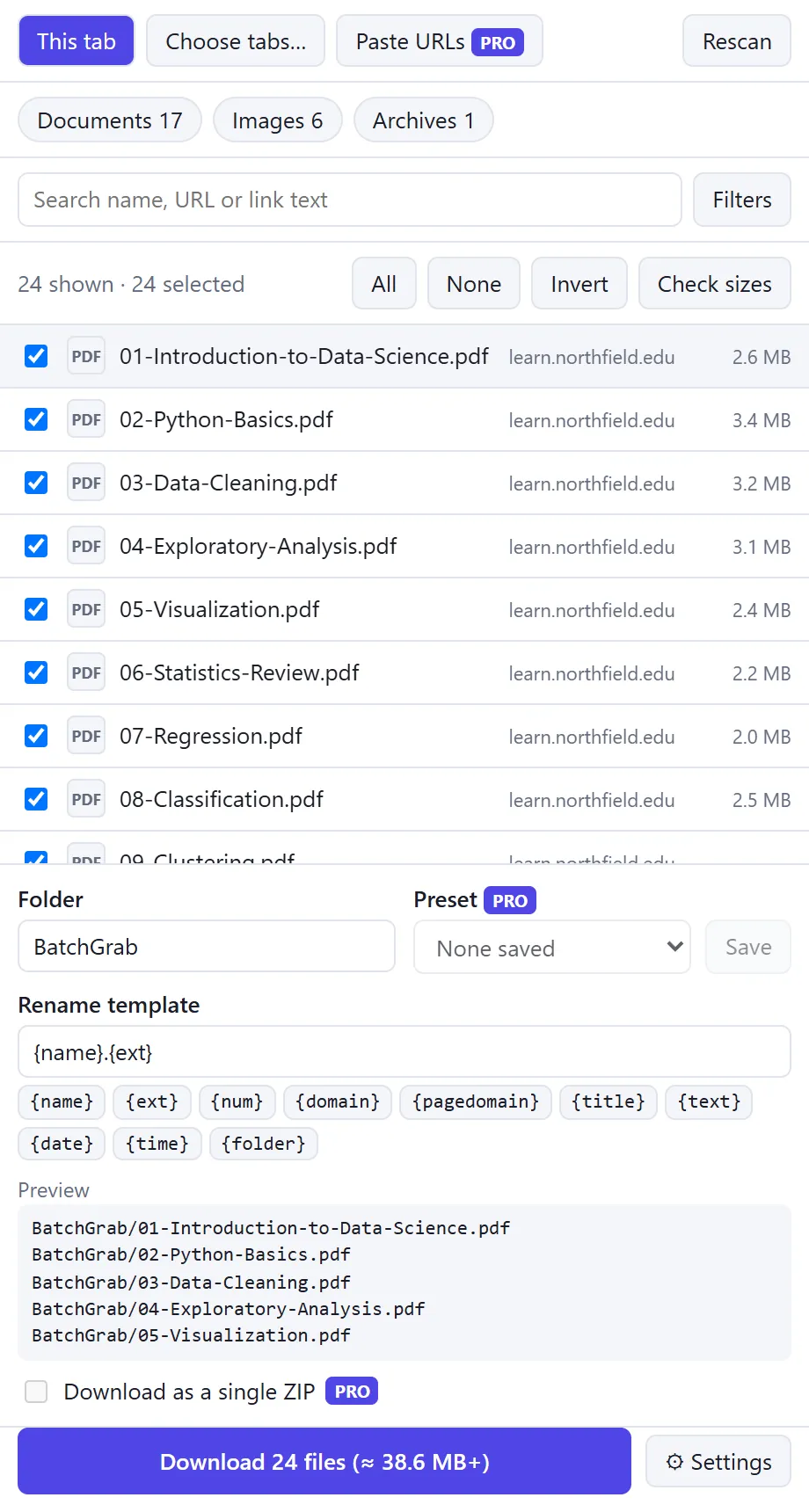
Links, images (the largest size), lazy-loaded images, audio and video files, on one page or across many tabs.
By file type, name, domain or same-domain-only. Pro adds file size and regex. Duplicates are removed for you.
Names like {num:3}-{name}.{ext} or {domain}/{title}/{name}.{ext}, with a live preview before you save.
Save into folders inside your Downloads folder, named the way you choose.
Choose how many files download at once. Pause, resume, cancel, retry failed files. It survives a browser restart.
Download everything as a single ZIP, with a list of any files that failed.
Files behind a login you’re already signed into download the way they do in your browser.
Everything runs in your browser. No servers, no analytics, no tracking, no remote code.
Click the toolbar icon. BatchGrab reads the page only when you do, and lists what it finds grouped by type.
Type chips with counts, a search box and a filters drawer. Select all, none or invert, then shift-click ranges.
Pick a folder and a rename template, see the result, then download through the queue, or as one ZIP with Pro.
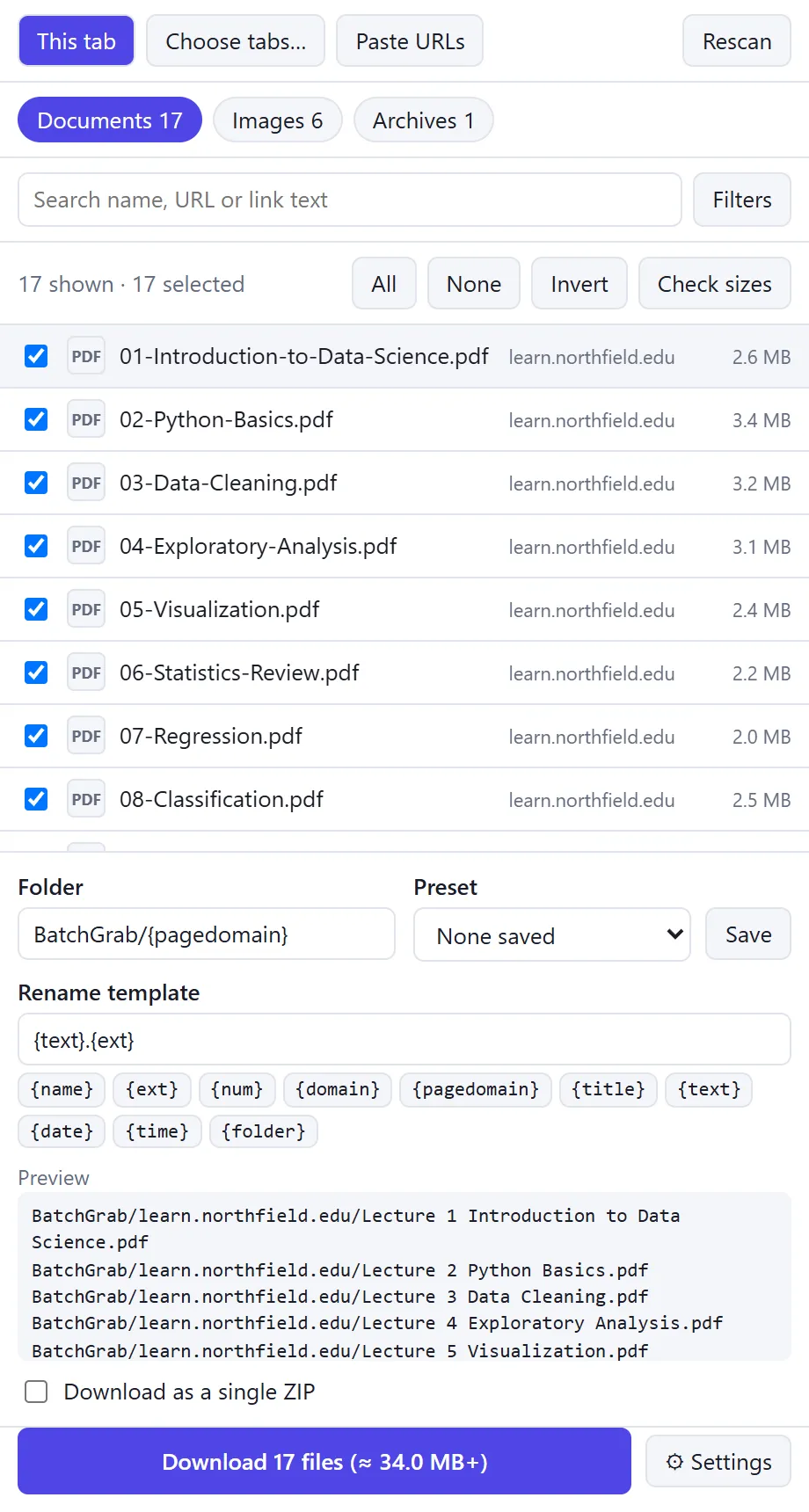
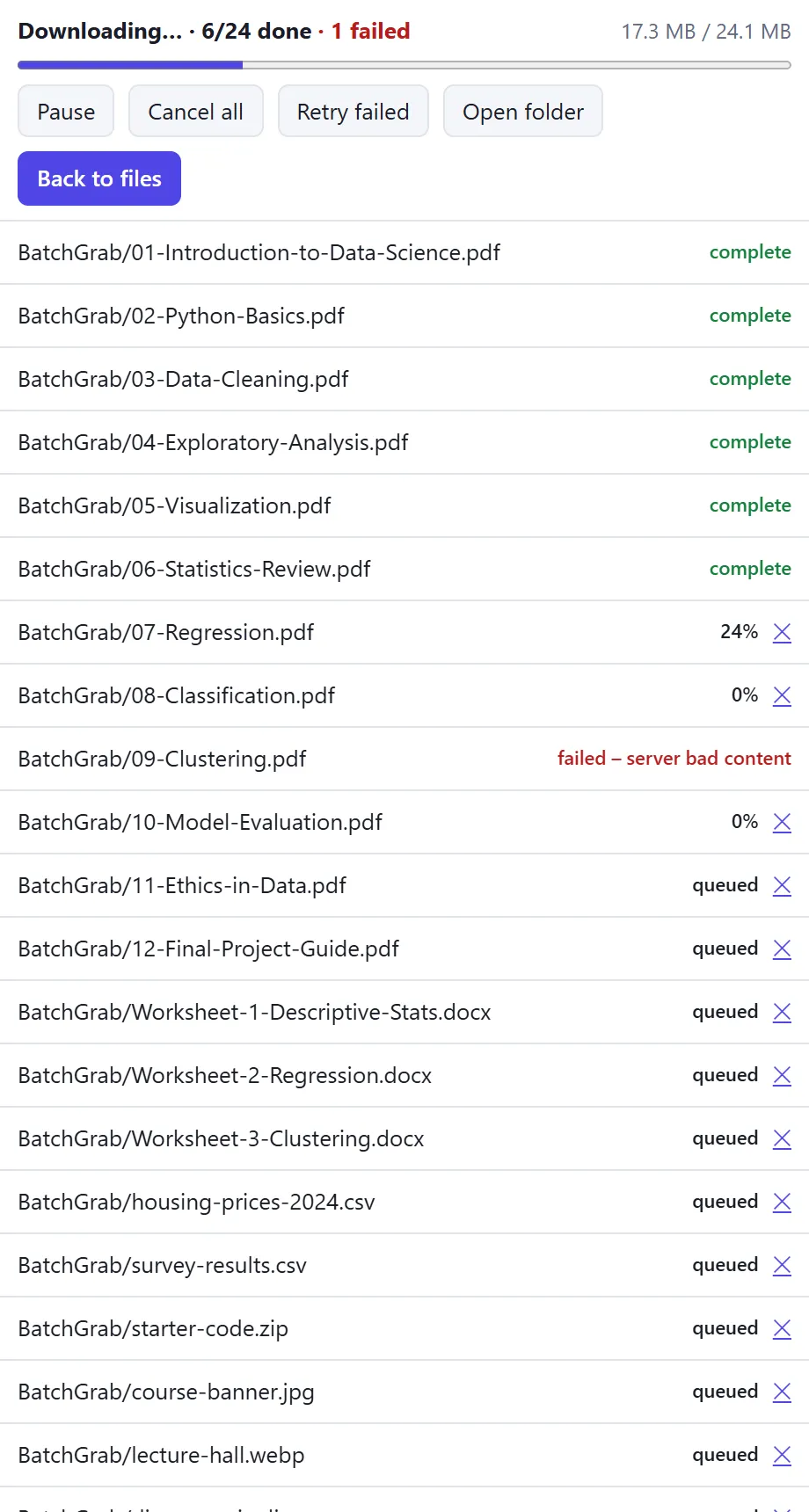
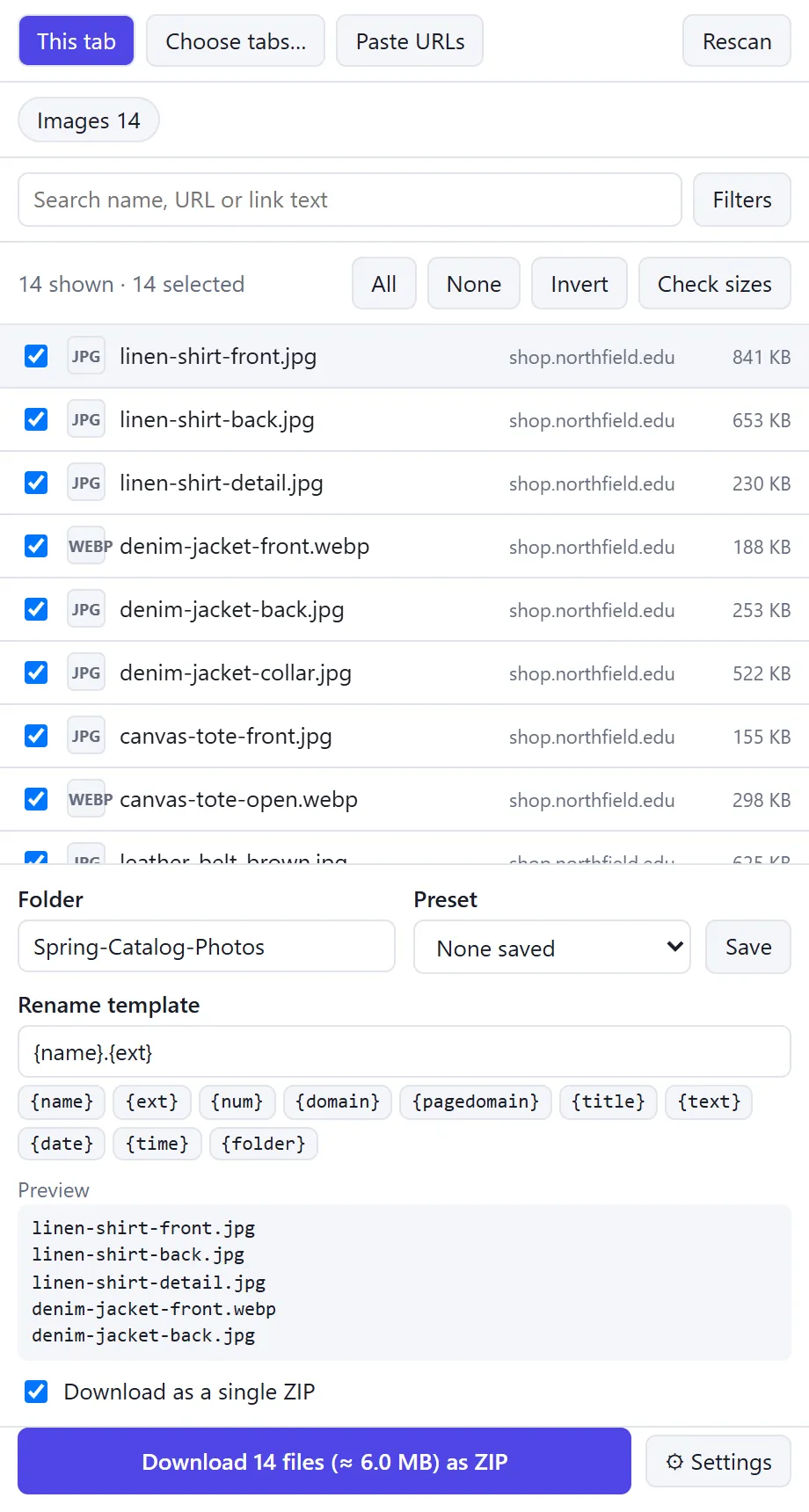
Type a template and see the final paths. This uses BatchGrab’s own tokens; a / makes a subfolder inside your Downloads folder, and characters Windows doesn’t allow are removed. Full templates and subfolders are part of Pro.
Duplicate names in a batch get “ (2)”, “ (3)” added.
Free
Pro
One-time payment or monthly, through Gumroad. Cancel a monthly plan any time.
Pro is bought on Gumroad as a licence key and pasted into BatchGrab. Details in our terms.
Scanning pages, filtering, renaming, queueing and building a ZIP all happen in your browser. Settings, presets and your last 20 batches are kept in Chrome’s extension storage, only on your computer.
Analytics, tracking, remote code or third-party scripts. BatchGrab reads a page only when you ask, and requests access to all sites only for multi-tab scanning, size checks or ZIP.
If you buy Pro, your licence key is sent to Gumroad to check it is valid. Payment is handled entirely by Gumroad; BatchGrab never sees your payment details. Read our privacy policy.
Any page that links to files directly: PDFs, images, documents, archives, audio and video files. It downloads direct file links found on the page.
No. BatchGrab does not support YouTube, streaming (HLS/DASH) or DRM-protected media. Only download files you have the right to download.
Only if you choose to scan several tabs, check file sizes or build a ZIP, because those need to read or fetch from the sites you are on. You can decline and keep using the current tab.
Nothing leaves your device. Settings, presets and your last 20 batches stay in Chrome’s extension storage on your computer.
You buy a licence key on Gumroad, one-time or monthly, and paste it into BatchGrab. The key is the only thing the extension sends anywhere: to Gumroad, to check it is valid. One key works on up to 5 installs.
No. Free keeps working with the limits above, and nothing is dropped silently: BatchGrab tells you when a limit applies.
BatchGrab is on its way to the Chrome Web Store. Ask for early access and we’ll write when it’s live.