
Free
1 site
$0
Free forever
Backups, error checks and automatic rollback.
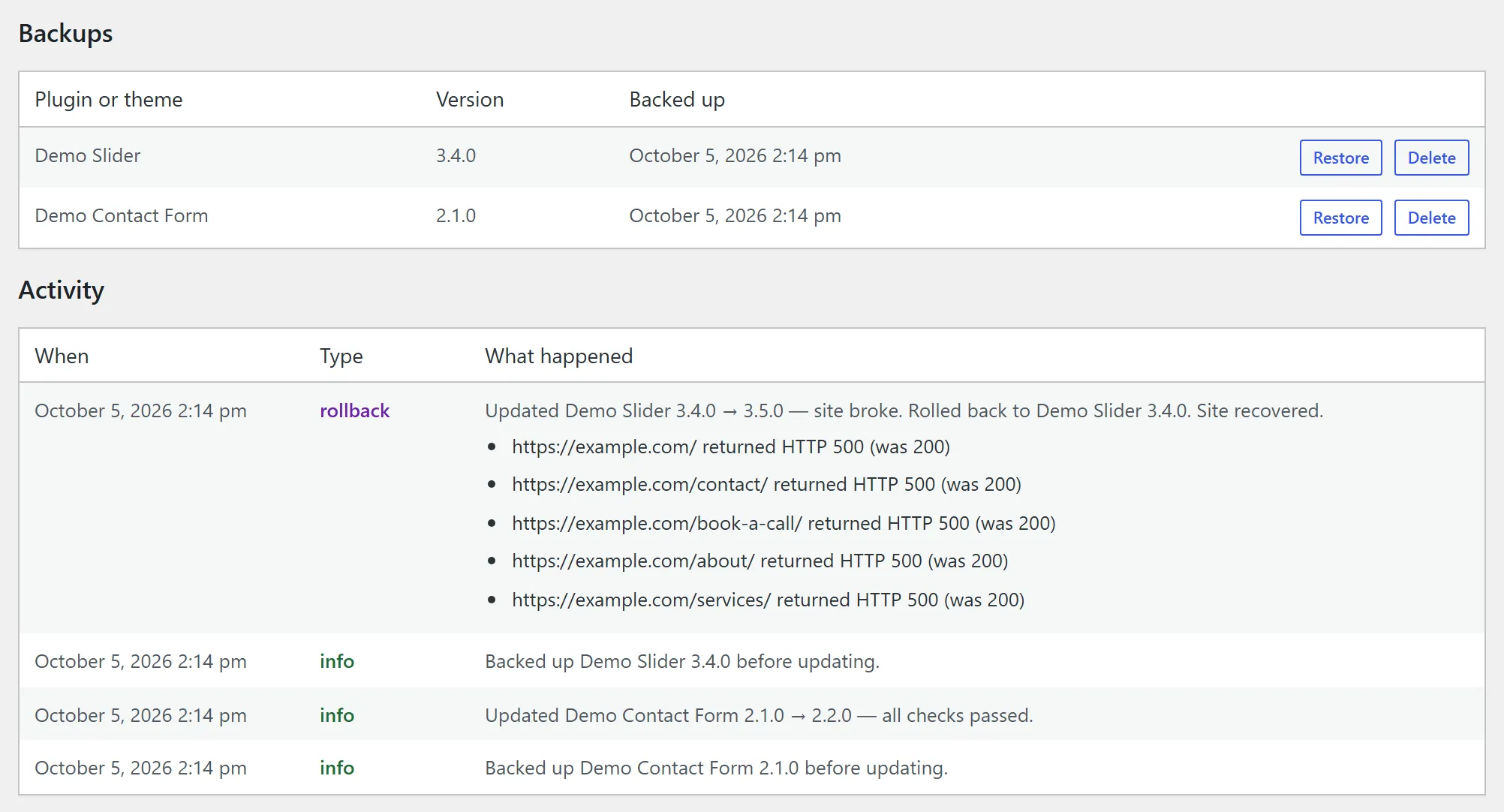
DownloadUpdate WordPress plugins and themes without fear. Upsure backs up each one before it updates, checks your key pages afterwards, and puts the old version back automatically if the update broke your site.
Before WordPress replaces a plugin or theme, Upsure saves a copy of the version you have now. If the copy can't be made, the update doesn't run.
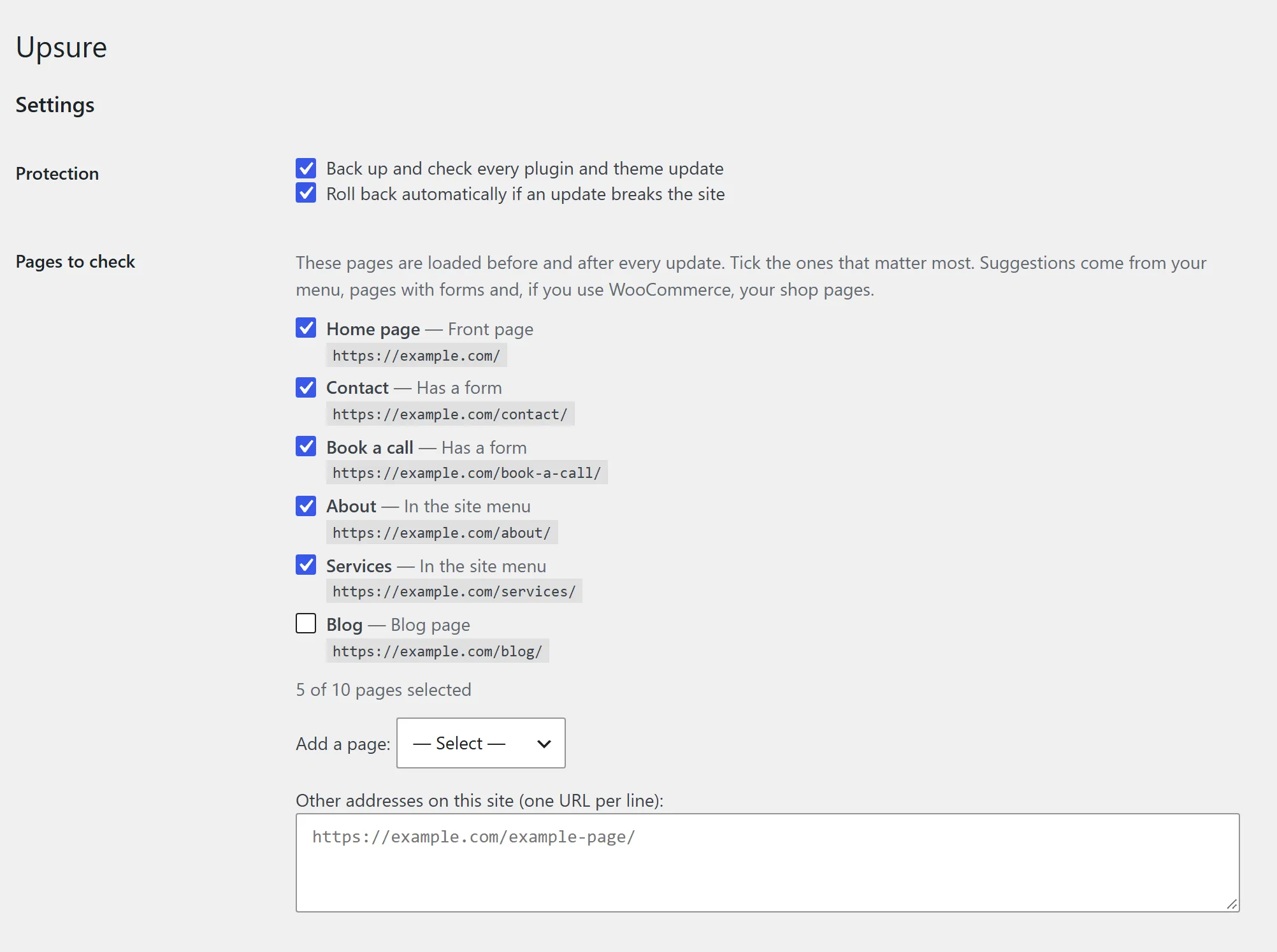
Right after the update, Upsure loads the pages you chose (home, contact, checkout, and so on) and compares them with how they were just before.
An error page, a crash or a blank page means Upsure restores the previous version, stops WordPress from auto-updating to the bad one again, and emails you what happened.
It works for updates from the Plugins and Themes screens, Dashboard → Updates, WP-CLI and WordPress's automatic background updates, and on hosts that update over FTP or SSH.

| Feature | Free | Pro | Agency |
|---|---|---|---|
| Backup before every plugin and theme update | ✓ | ✓ | ✓ |
| Checks for crashes, error pages and blank pages | ✓ | ✓ | ✓ |
| Automatic rollback, email alert, blocks the bad version | ✓ | ✓ | ✓ |
| One-click restore of any backup | ✓ | ✓ | ✓ |
| Visual check: before/after screenshots catch a broken layout, a missing menu or a vanished button | – | ✓ | ✓ |
| Areas to ignore (sliders, rotating testimonials) | – | ✓ | ✓ |
| Screenshots in the alert email, "keep this update" in one click | – | ✓ | ✓ |
| Sites | 1 | 1 or 5 | 25 or 100 |
The page still loads, but the menu is gone, the layout has collapsed or the checkout button sits off-screen. No error-based check can see that.
Upsure Pro takes a screenshot of each key page just before the update and again just after, and rolls back when a page looks clearly different. Sliders and other moving parts are handled: in tests on real client sites, pages changed by at most 3% on their own, while a broken layout scores 100%.
1 site
$0
Free forever
Backups, error checks and automatic rollback.
Download1 site
$5/month
or $49 a year
Adds the visual check.
Notify me5 sites
$15/month
or $149 a year
Pro for a handful of sites.
Notify me25 sites
$49/month
or $490 a year
For studios looking after client sites.
Notify me100 sites
$99/month
or $990 a year
For agencies and hosts.
Notify mePrices in US dollars. Yearly plans include two months free. Payments, invoices and sales tax are handled by Freemius. Cancel any time; see the refund policy.
No. It backs up only the plugin or theme being updated, just before the update. Keep your normal full-site backups.
No. Upsure restores the plugin's or theme's files. If an update changed the database during its upgrade, those changes stay.
No. Upsure only does anything while an update runs. Visitors never load any of it.
No. Backups stay on your server and the checks load your own pages from your own server. Only Pro, once you enter a license key, sends page addresses to our screenshot service (privacy policy).
The email shows the before and after screenshots with the changes in red. If the new look was intended, one click reinstalls the update without the screenshot comparison. You can also list areas to ignore, such as a slider.
Not at launch. The screenshots show what any visitor sees.